Go beyond the trip.
Journey.
The planner for trips worth getting right. Save places from anywhere, let AI shape the days, and carry the whole plan in your pocket.
Field Office
· est 2026 ·

From first idea to final day.
Gather the ideas, shape the days, and keep the whole journey with you on the road. Calm and unhurried, the way planning should feel.
Save the places you see scrolling.
That café from a TikTok, the lookout from a YouTube guide. Paste the link and Vellora pulls the spots out of the video and drops them straight onto your map.
- Works with TikTok, YouTube and plain links
- Names, photos and locations recognised automatically
- Sort into collections with a single tap


A travel agency in your pocket.
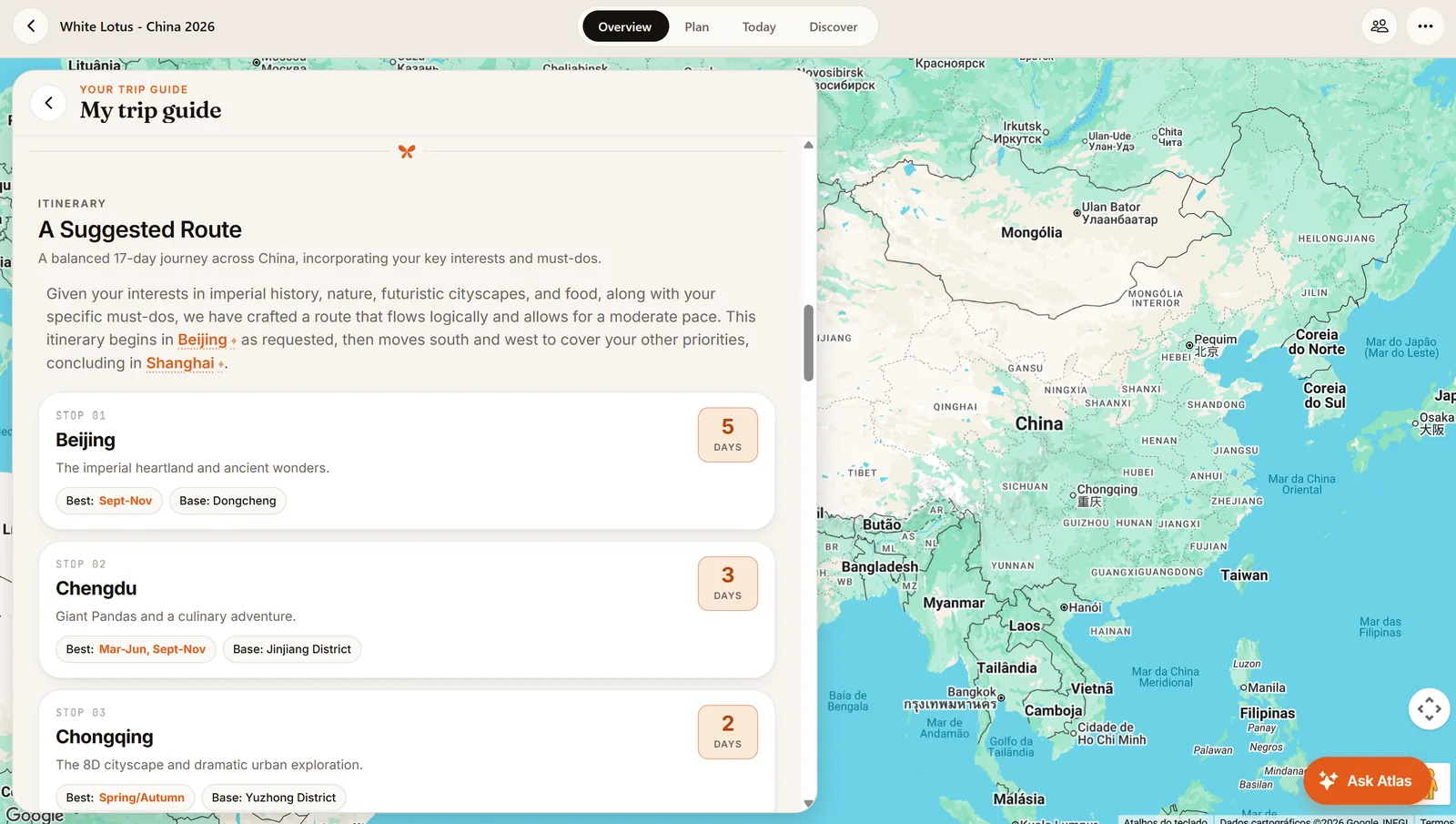
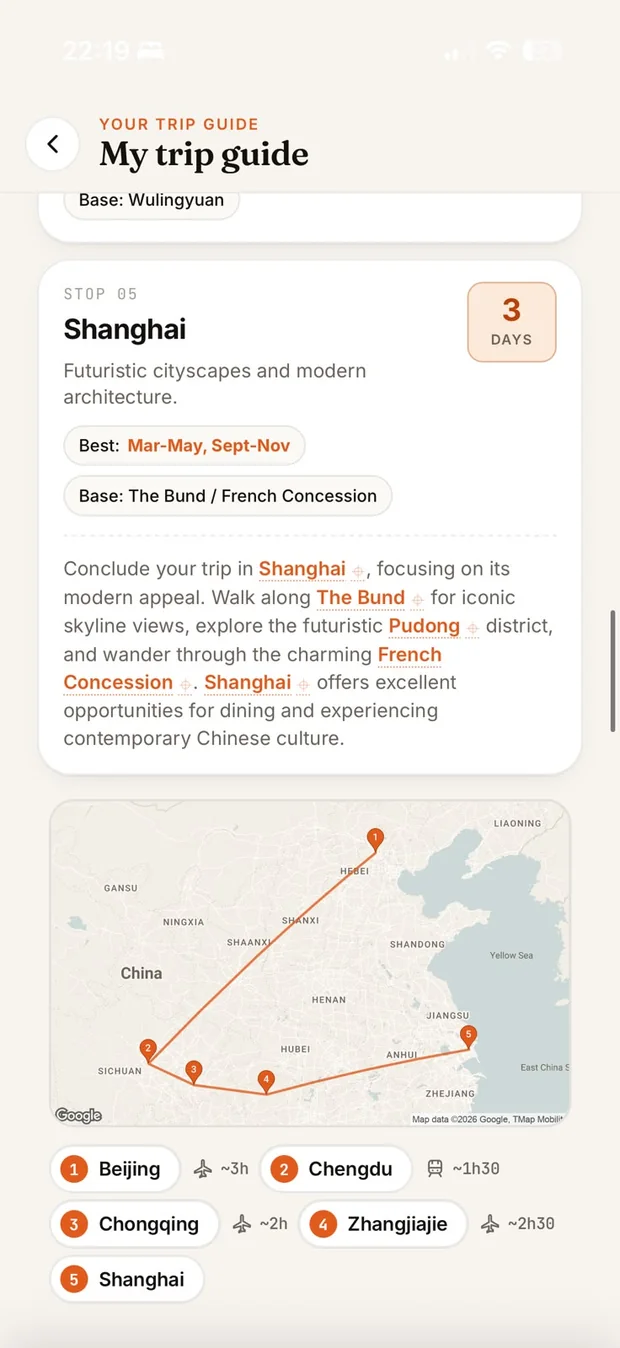
Tell Vellora where you're going and it drafts the journey for you: which cities, how many days in each, the best season, the neighbourhood to stay in. A complete guide written for your trip, ready to edit.
- A suggested route with days per city
- Best seasons and base neighbourhoods for every stop
- Ask Atlas to add, swap or rework stops for you
Your whole trip, on one beautiful map.
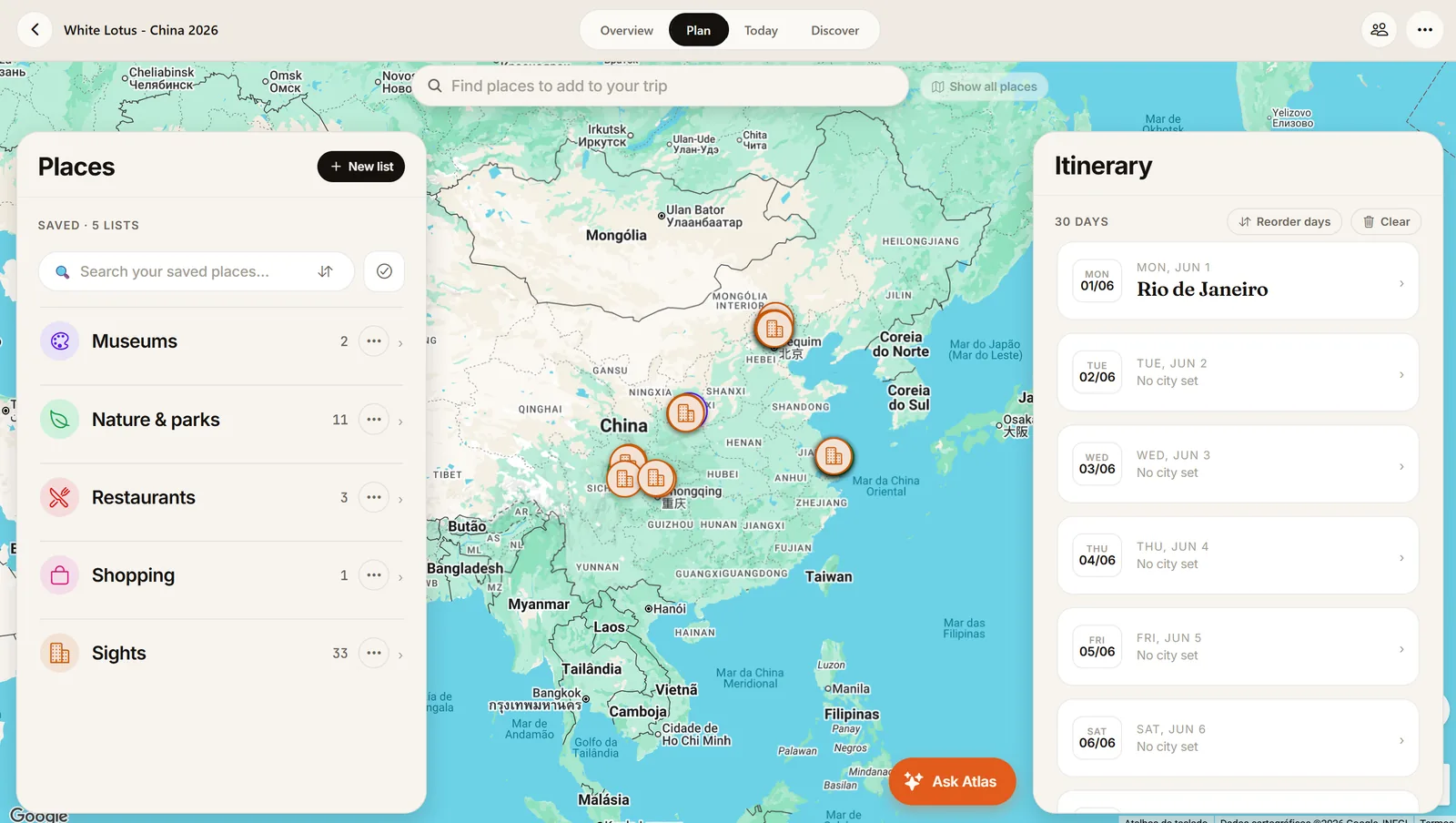
Every saved place pinned where it belongs, colour-coded by kind. See what's near you now, what you've saved, and what's on the day's plan. Three views of the same world.
- Search · Saved · Itinerary, all on one map
- Nearby suggestions tuned to where you stand
- Tap any pin for hours, photos and a one-tap add
Lay out the days. We'll draw the route.
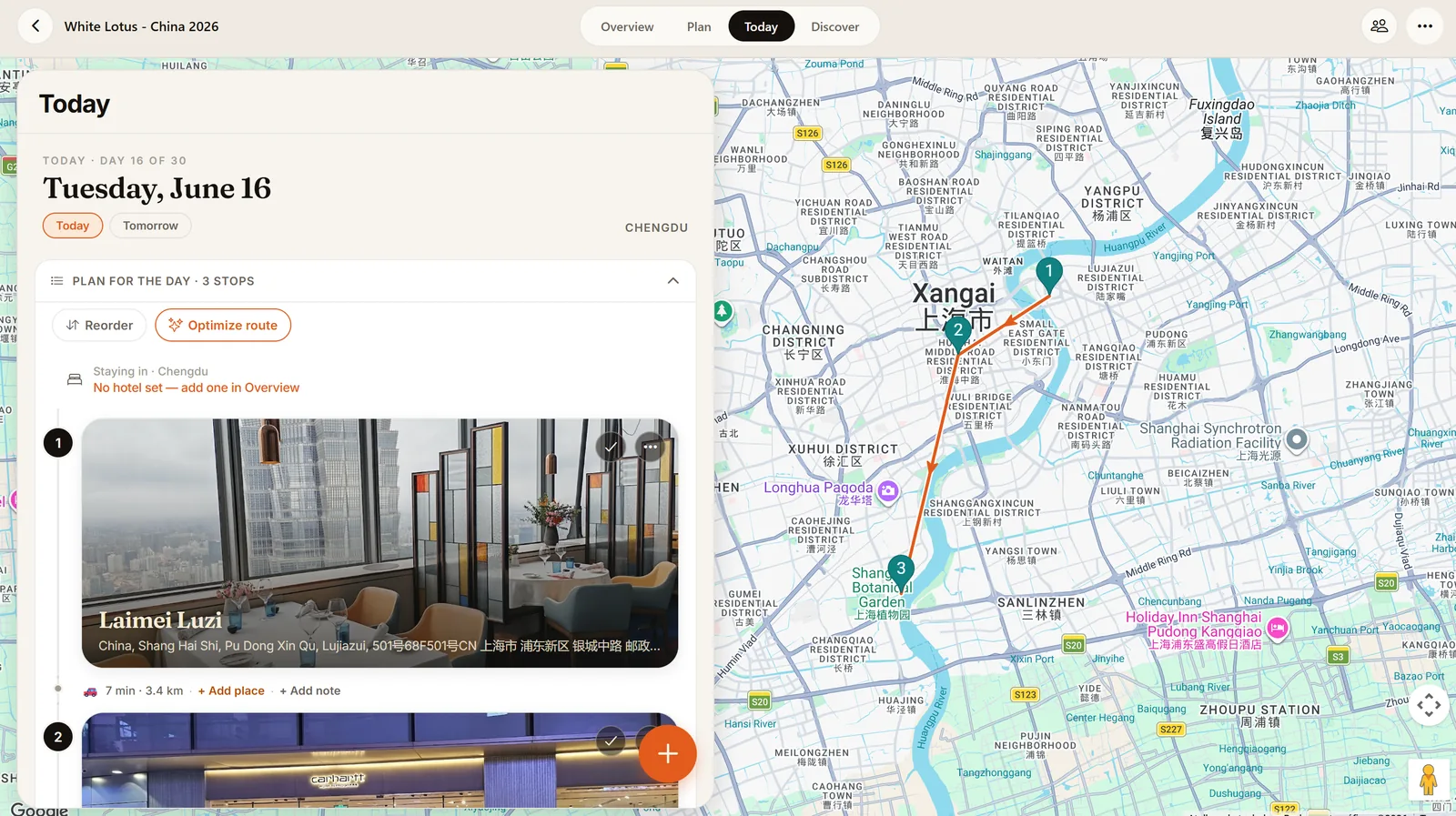
Drag places into a day and Vellora orders the stops, draws the walking line between them, and shows the travel time and weather for each one. The plan that finally makes sense.
- Numbered stops with travel time in between
- Per-day weather, so you pack the right plan
- Reorder by dragging, and the route redraws itself
The whole trip in one place.
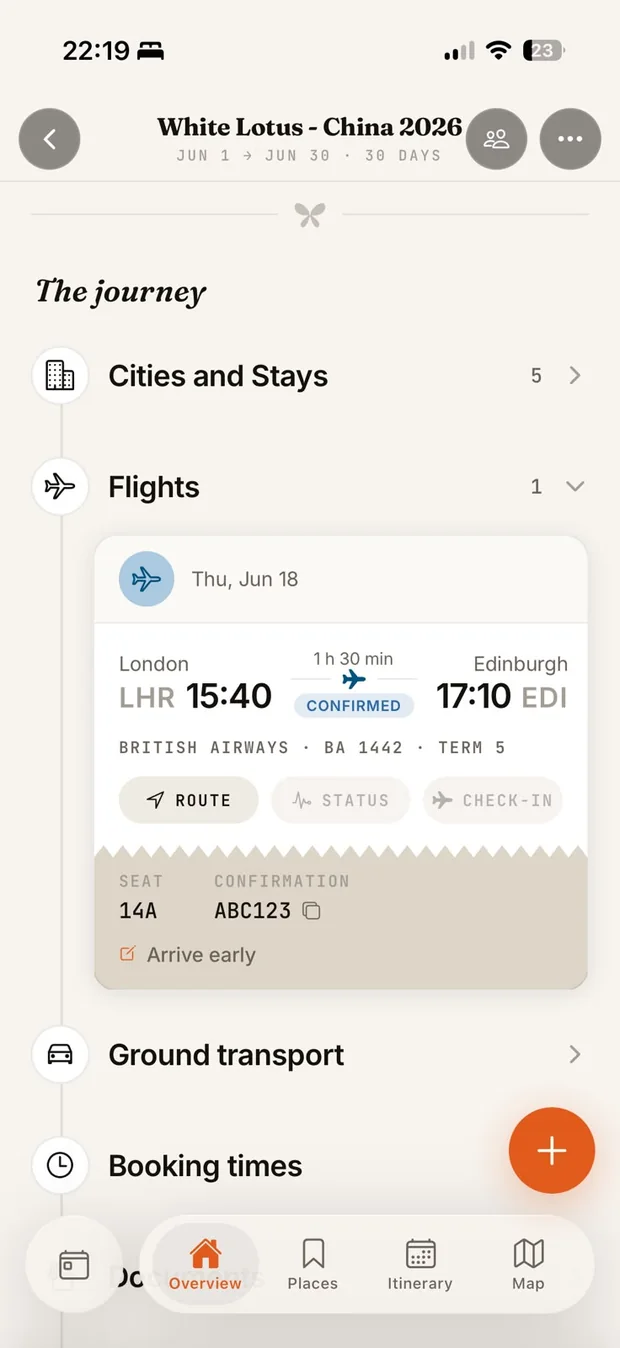
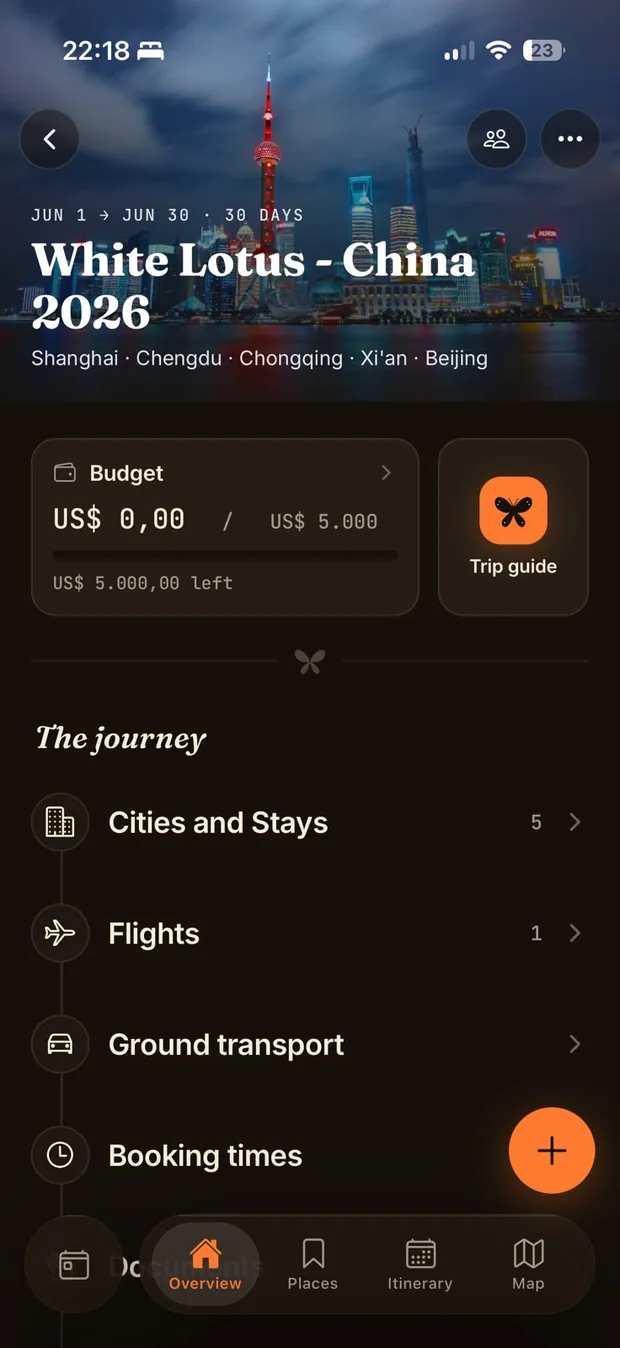
Flights with confirmation codes, stays, ground transport, budget, documents and checklists all live inside the trip, right next to the plan. Boarding details at the gate without digging through email.
- Flights, stays and transport with times and codes
- A budget that tracks spending per trip
- Documents and checklists, ready offline
Plan it together. Carry it anywhere.
Invite whoever's coming. Everyone adds places, votes on the maybes, and watches the itinerary fill in live. The finished plan rides along offline, with a clean PDF one tap away.
- Live sync on every phone, no group chat required
- Share read-only or invite as co-planners
- Full offline access and one-tap PDF export
Three simple steps.
From a half-formed daydream to a route you can follow with your eyes closed.
Save
Drop in places from videos, maps and links, or just search. Everything lands in one collection, ready to sort.
Plan
Pull places into days. The map draws the route, fills in travel times, and shows the weather you'll actually get.
Go
Carry it offline, share it with the group, export it to PDF. The plan travels as lightly as you do.
Pay by the journey.
Vellora is free to start: every feature, yours for 14 days. After that, a Trip Pass unlocks the full toolkit for one journey. Planning trips all year? Pro covers them all.
- The full toolkit from day one
- AI guides, imports, maps, the works
- No card needed to start
- The complete toolkit for that journey
- AI trip guide, video imports and Atlas
- One payment and the trip is covered
- Everything in Trip Pass, on every trip
- For the ones already planning the next one
Every journey starts with the trial. Upgrade inside the app when a trip calls for it. Prices in USD; checkout shows your local currency.
The practical bits.
Start your first trip.
Make an account in seconds and turn that folder of saved links into a journey worth taking.
Free to start. The full toolkit is one Trip Pass away.